Melbet Login in Sri Lanka: Four Ways Into Your Account
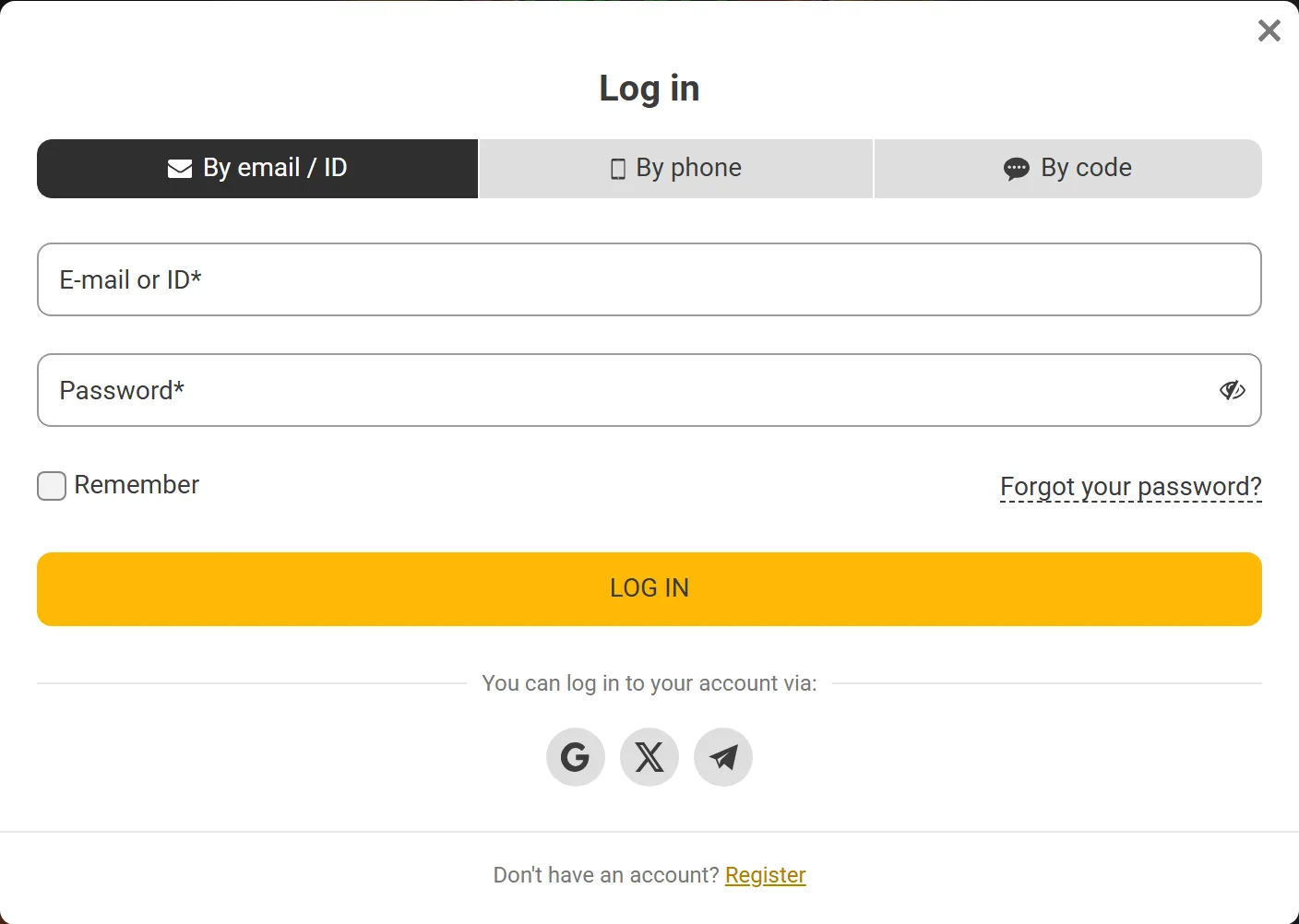
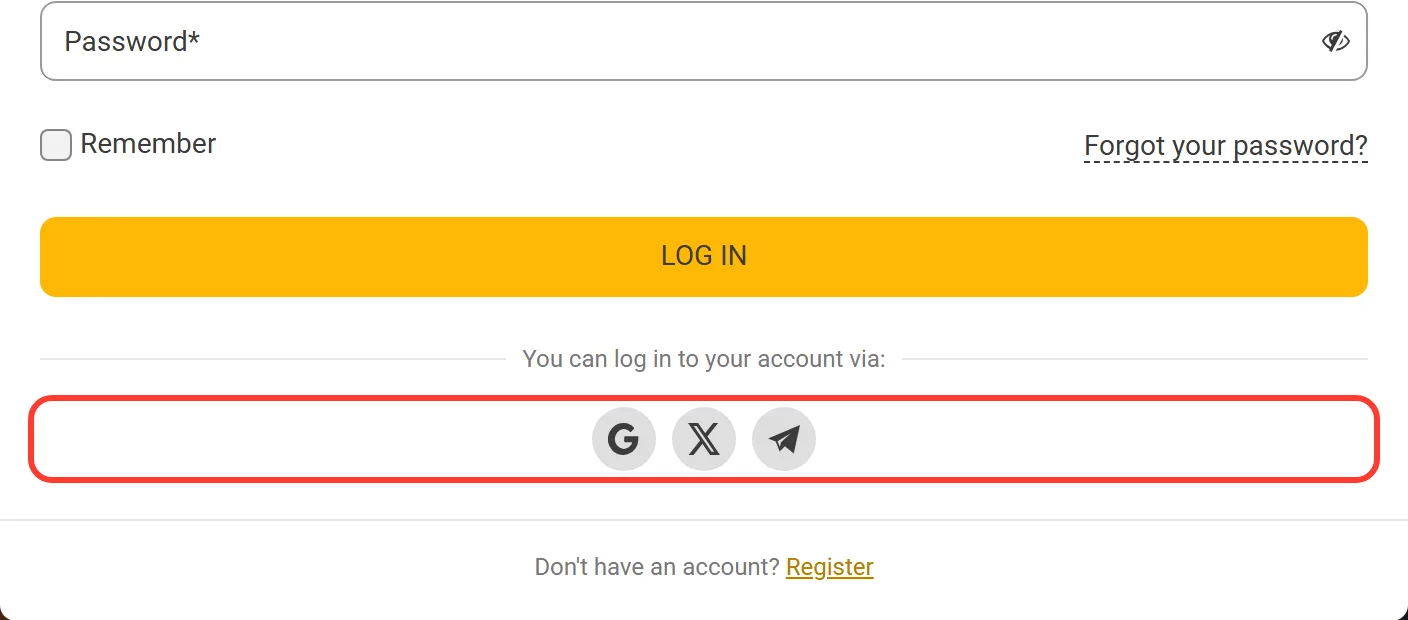
Melbet login starts with the LOG IN button in the top right corner of the site. The form has three tabs, By email / ID, By phone and By code, plus Google, X and Telegram buttons for a social sign in. To log in to Melbet you need an account opened earlier and one of these details. The Melbet Sri Lanka login is the same on the Melbet website, the mobile version and the app, so one password opens your LKR balance, bets and bonuses on every device.
Once you are in, the cashier lists 91 deposit methods, including LankaQR, iPay and the main Sri Lankan banks, with amounts in rupees.
18+ only. Gambling involves risk.
How to Log In to Melbet: Four Tabs in One Form
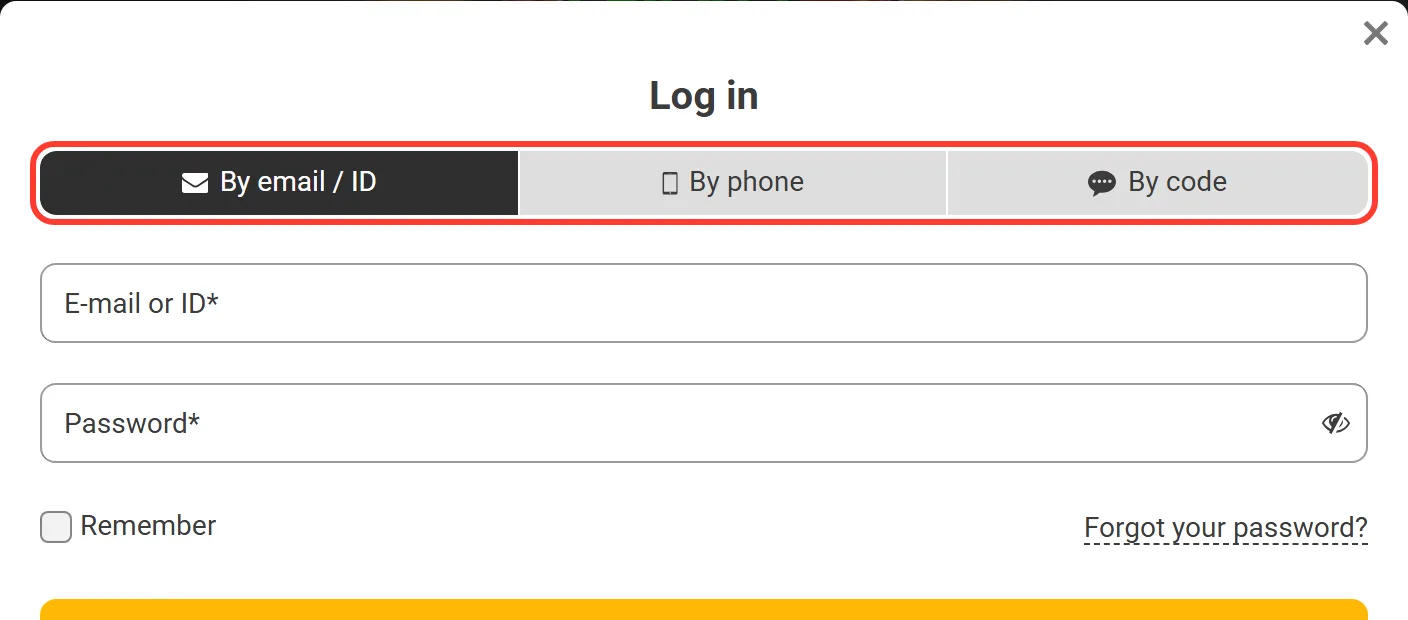
The LOG IN window holds every way in: three tabs, a row of social buttons and the "Forgot your password?" link under the fields. Pick the tab that matches what you entered at sign up or added to your profile afterwards. This table shows what a Melbet online login asks for in each case:
| Way to log in | What you type | Works if |
|---|---|---|
| By email / ID | E-mail or account ID, then password | You set a password, or saved the ID from sign up |
| By phone | Your number after +94 | The phone is linked to the profile |
| By code | Your number, then the code from SMS | The phone is linked and you can receive SMS |
| Google, X, Telegram | Nothing on the Melbet form | You use that social account with Melbet |
On a phone browser the social buttons move to their own tab called Social networks, next to the three others. The form ends with a line for newcomers: if you have no profile yet, Melbet account registration takes one form with three tabs.
By Email / ID: Sign In With a Password
This is the classic Melbet login online with a password. The account ID is the account number shown in Personal profile, and the Security section recommends signing in with the ID rather than the e-mail. The order of steps:
-
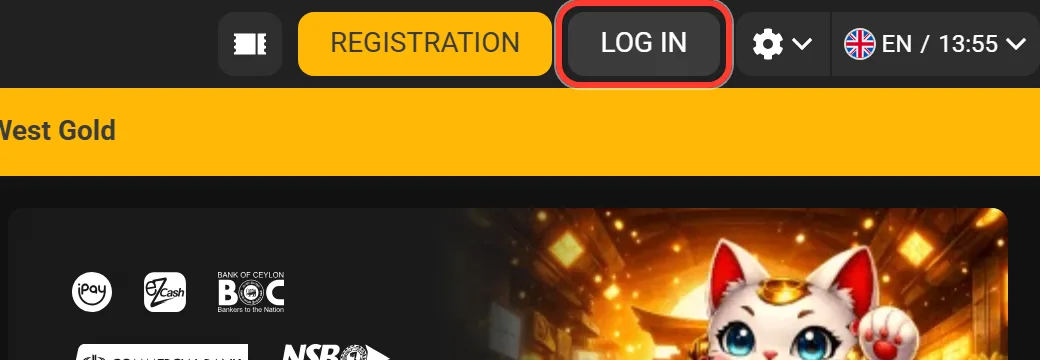
Press LOG IN in the header of the site.
-
Stay on the By email / ID tab, which opens first.
-
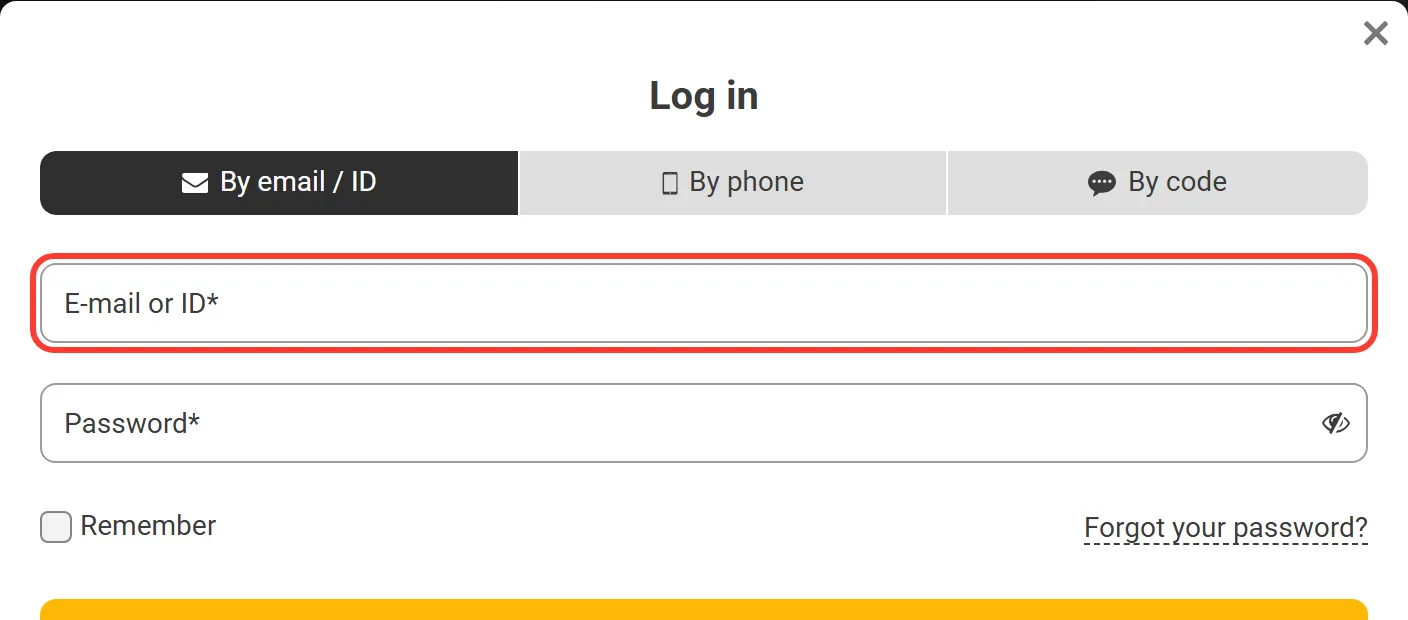
Type your e-mail or ID in the "E-mail or ID" field.
-
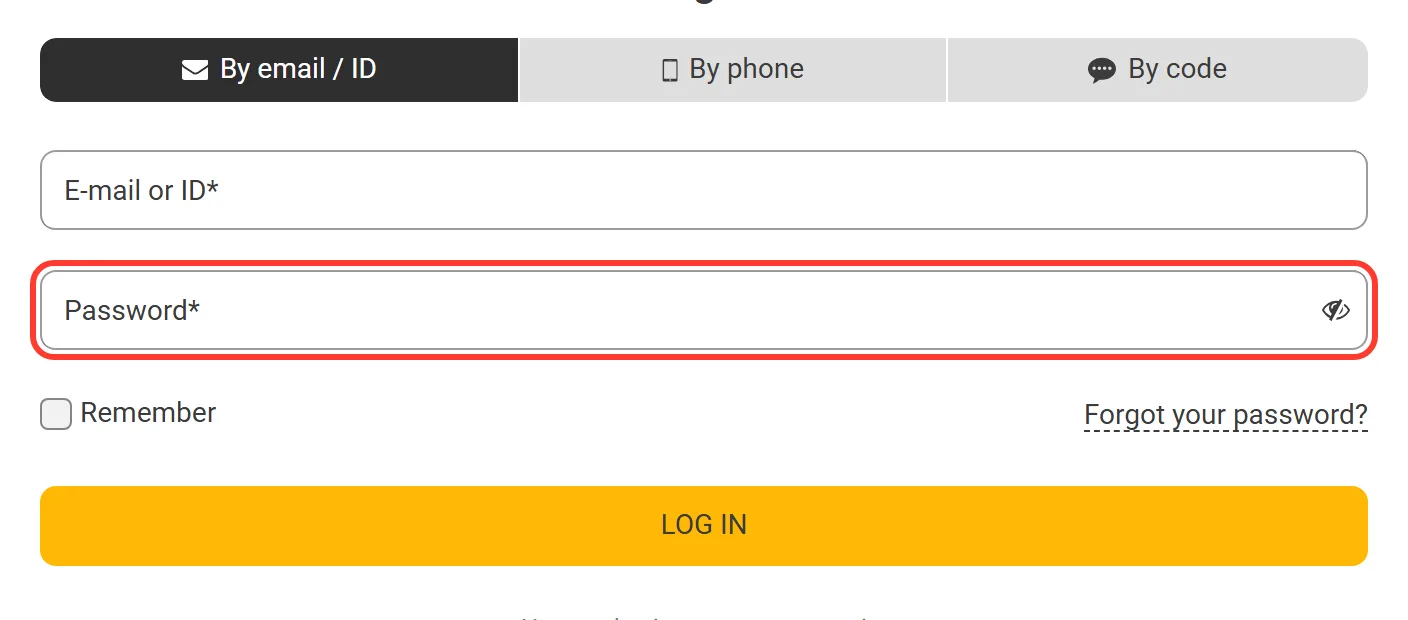
Enter your password in the Password field.
-
Tick the box to remember your details if this is your own device.
-
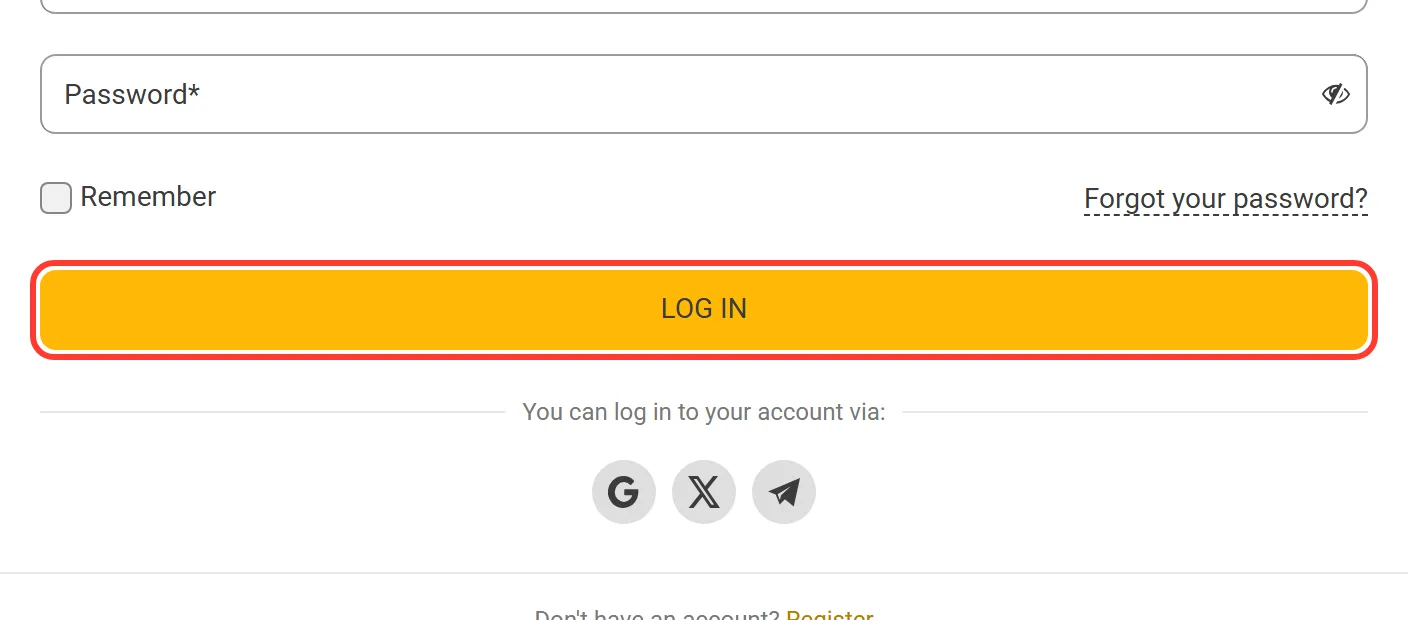
Press LOG IN under the form.
On a shared or office computer, leave the remember box empty and log out when you finish, so the next person does not open your balance.
Melbet Login Sri Lanka by Phone or SMS Code
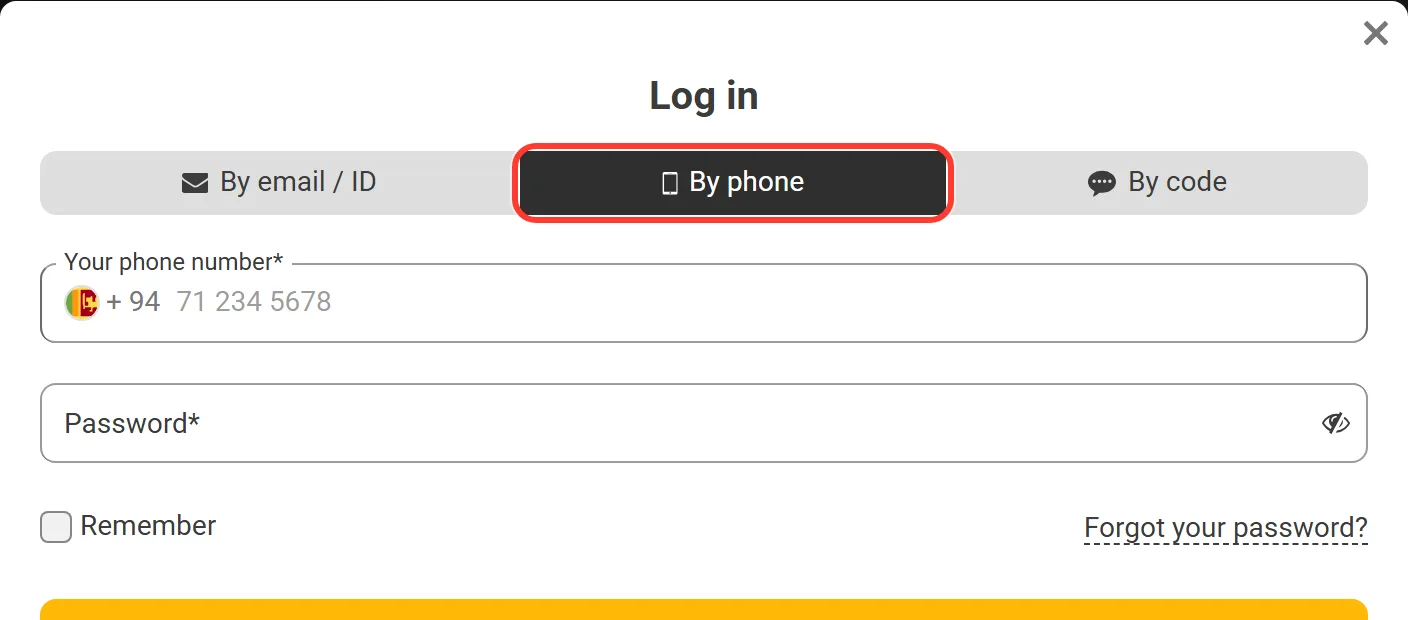
Both phone tabs use the number linked to your profile. In the By phone tab the +94 country code is already in the field, so you type only the rest of your number. By code skips the password completely:
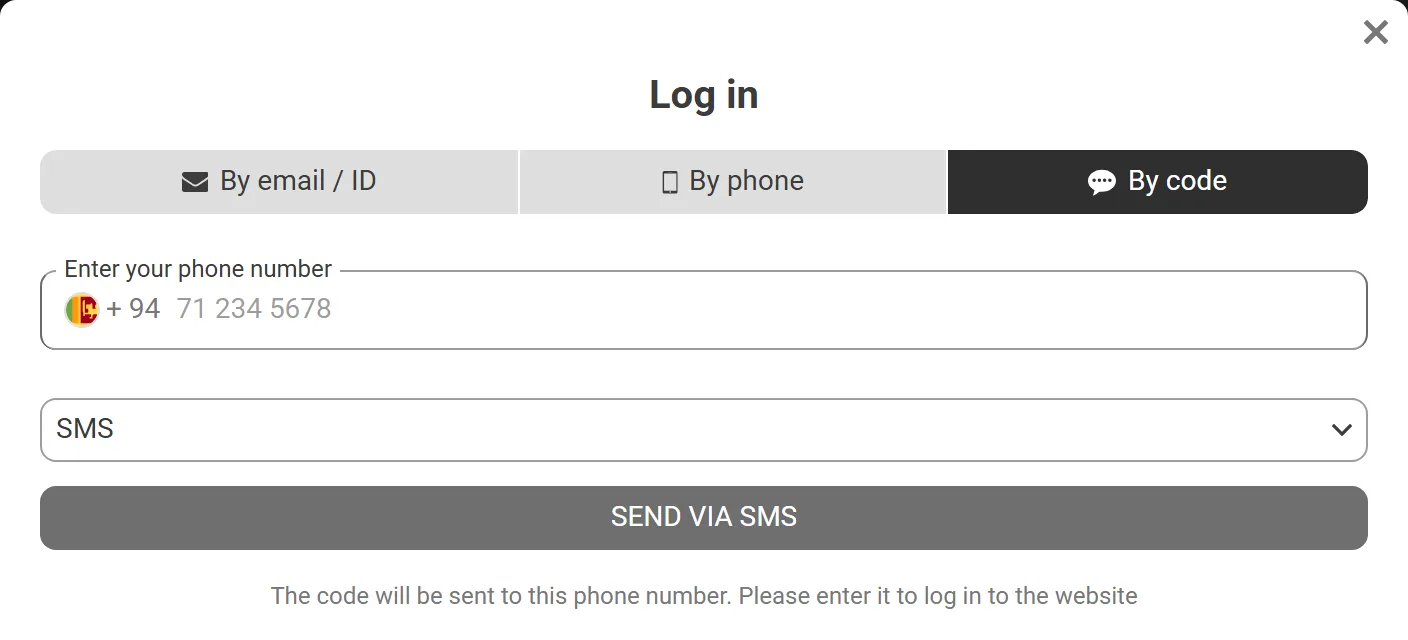
Open LOG IN and choose the By code tab.
Enter the mobile number linked to your account.
Press SEND VIA SMS.
Type the digits from the message to finish signing in.
Keep the code to yourself: anyone who asks you to read it out, even as Melbet staff, is after the account. A code you did not request is a reason to change the password.
Lost Password: the Recovery Link Under the Fields
A lost password does not need a new account. The reset uses the e-mail or phone already in your profile and starts from the same LOG IN window:
-
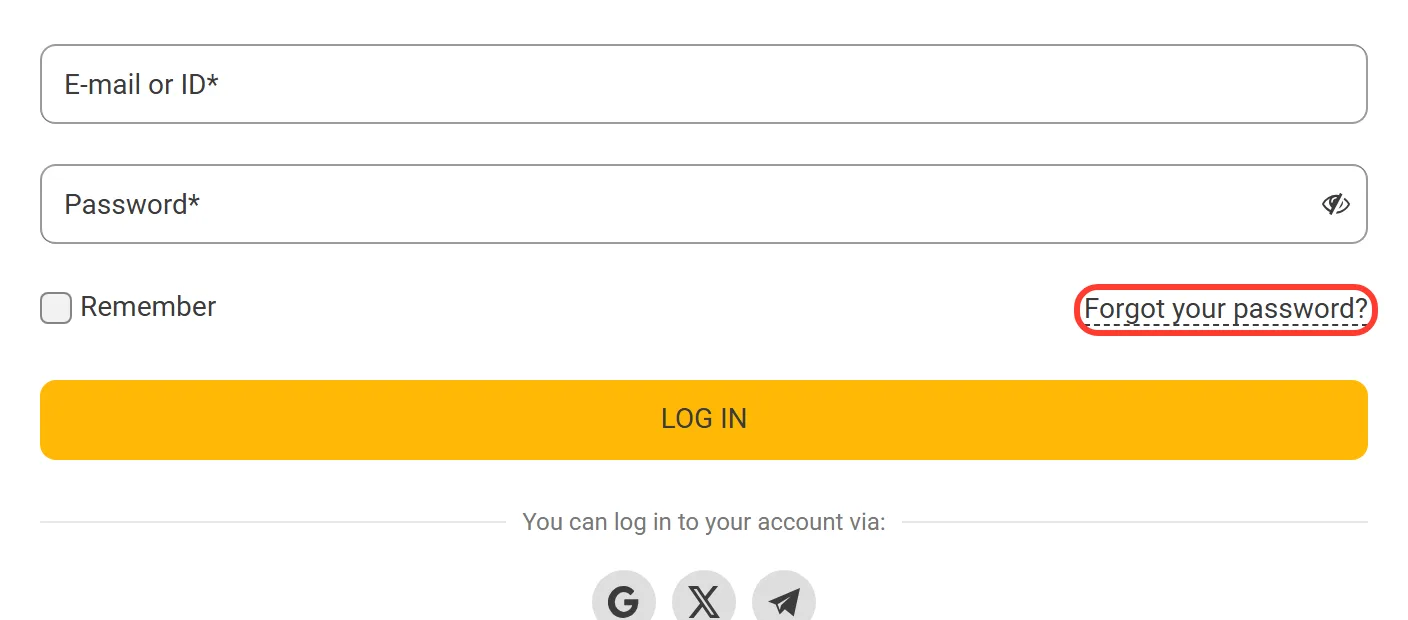
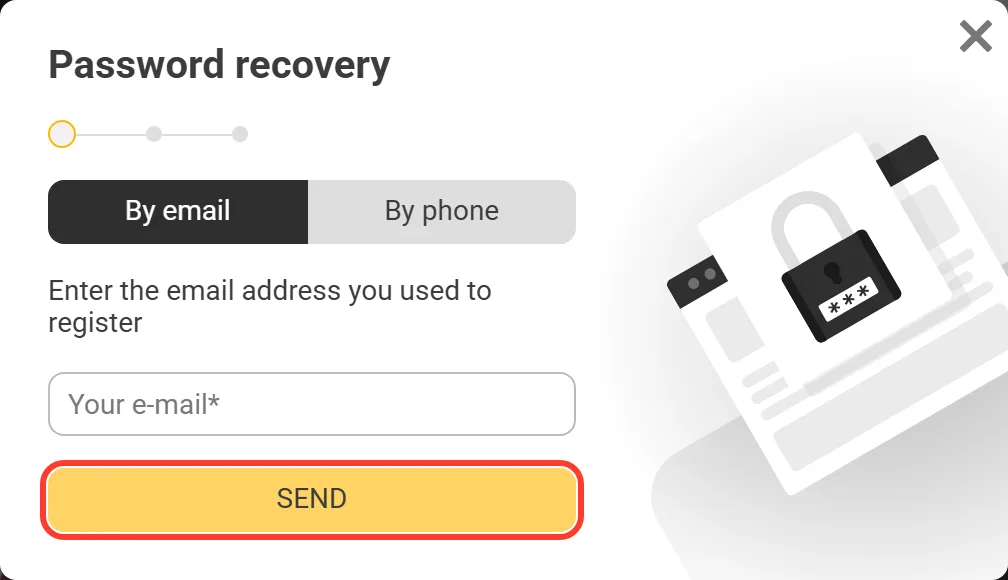
Press LOG IN and click "Forgot your password?" under the fields.
-
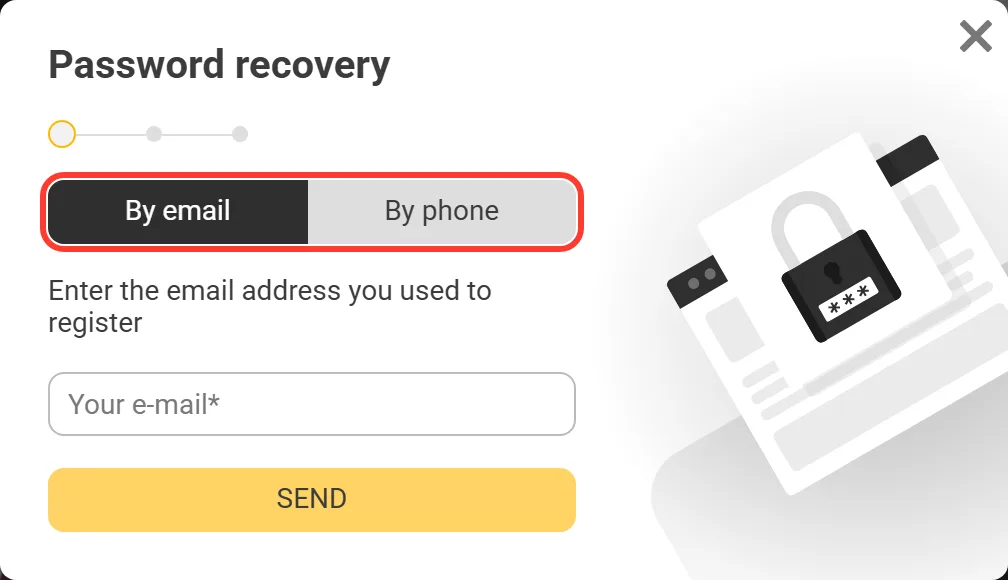
In the Password recovery window, pick By email or By phone.
-
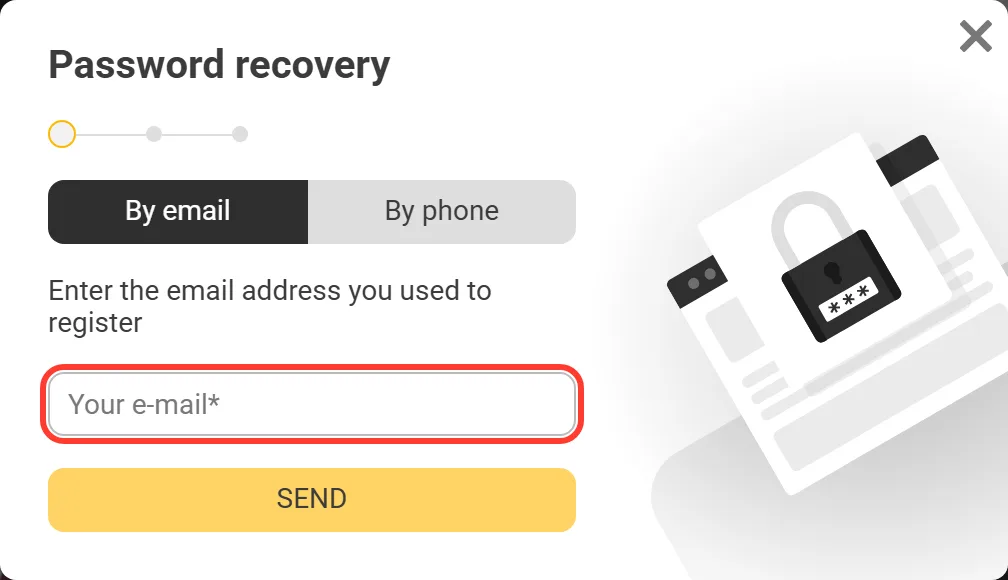
Type the address in "Your e-mail", or the phone number on the second tab.
-
Press SEND, and Melbet sends the recovery message to that address or number.
If you no longer use the e-mail on the account, the reset cannot reach you there. Use the phone tab instead, or ask customer support on 0112029285 to change the address. Once you are back in, set a password you do not use on any other site.
Log In Melbet: Quick Answers
Can I log in with my account ID instead of e-mail?
Yes. The first tab is By email / ID, and the field accepts either. Melbet even recommends the ID, and Account settings has an Email login switch if you want to turn e-mail sign in off.
Can I change my login details?
The e-mail in your profile can be changed only through customer support, so ask them from the account or on 0112029285. The phone number used by By phone and By code is the one linked in your profile.
Is it safe to tick the remember box?
On your own phone or laptop with a screen lock, yes. On a shared computer leave it empty, because anyone who opens the browser after you will land in your account.
Why does Melbet logging in fail when my password is right?
Usually the tab does not match the details. An e-mail does not work in By phone, and a phone number does not work as an ID. Switch tabs first, and if it still fails, use "Forgot your password?".
The SMS code does not arrive. What now?
Check the number after +94 and the signal, wait a moment and press SEND VIA SMS again. You can also switch to By email / ID and sign in with your password.
I opened the account with One-click. How do I get back in?
A reset needs a linked phone or e-mail. If the account has neither, it has nowhere to go, so contact support, and once you are back in, link your +94 number in Personal profile.
Can I sign in without a password?
Yes, with the By code tab. Enter your linked mobile number, press SEND VIA SMS and use the code from the message. Google, X and Telegram are another option if you use one of them with Melbet.
Melbet App Login, the Mobile Version and the Casino
On Android and iPhone the sign in looks the same as on a computer. The Melbet official app shows the LOG IN form with By email / ID, By phone and By code, and the social sign in sits under them. The Melbet mobile login in a phone browser has the same three tabs plus a fourth one, Social networks, for Google, X and Telegram.
Choose remember in the app on your own phone and you do not have to type the password each time you open it. Your balance, open bets and bonus progress do not depend on where you log in: a bet placed in the app shows in Bet history on the website, and the other way round. If the site does not open, sign in through the installed app or contact support at info-si@melbet.com. Ignore links from strangers who promise "another login page", because they lead to copies made to steal passwords.
One Account for Sports, Casino and Fast Games
There is no separate Melbet casino login: one account opens sports, the casino and Fast Games, and the header shows your LKR balance and Bonus points. Inside the account you will find:
- Deposit and Withdraw funds. A Melbet deposit goes through the cashier with local wallets, banks and LankaQR, and withdrawals return to the details you deposited with.
- Bet history and Transaction history with every slip and payment.
- Bonuses and gifts with the "Enter promo code" field and the welcome offer cards.
- Payment queries for questions about a transfer.
The same balance pays for Melbet slots, Aviator and other crash games.
Two-Factor Authentication and Recent Sessions
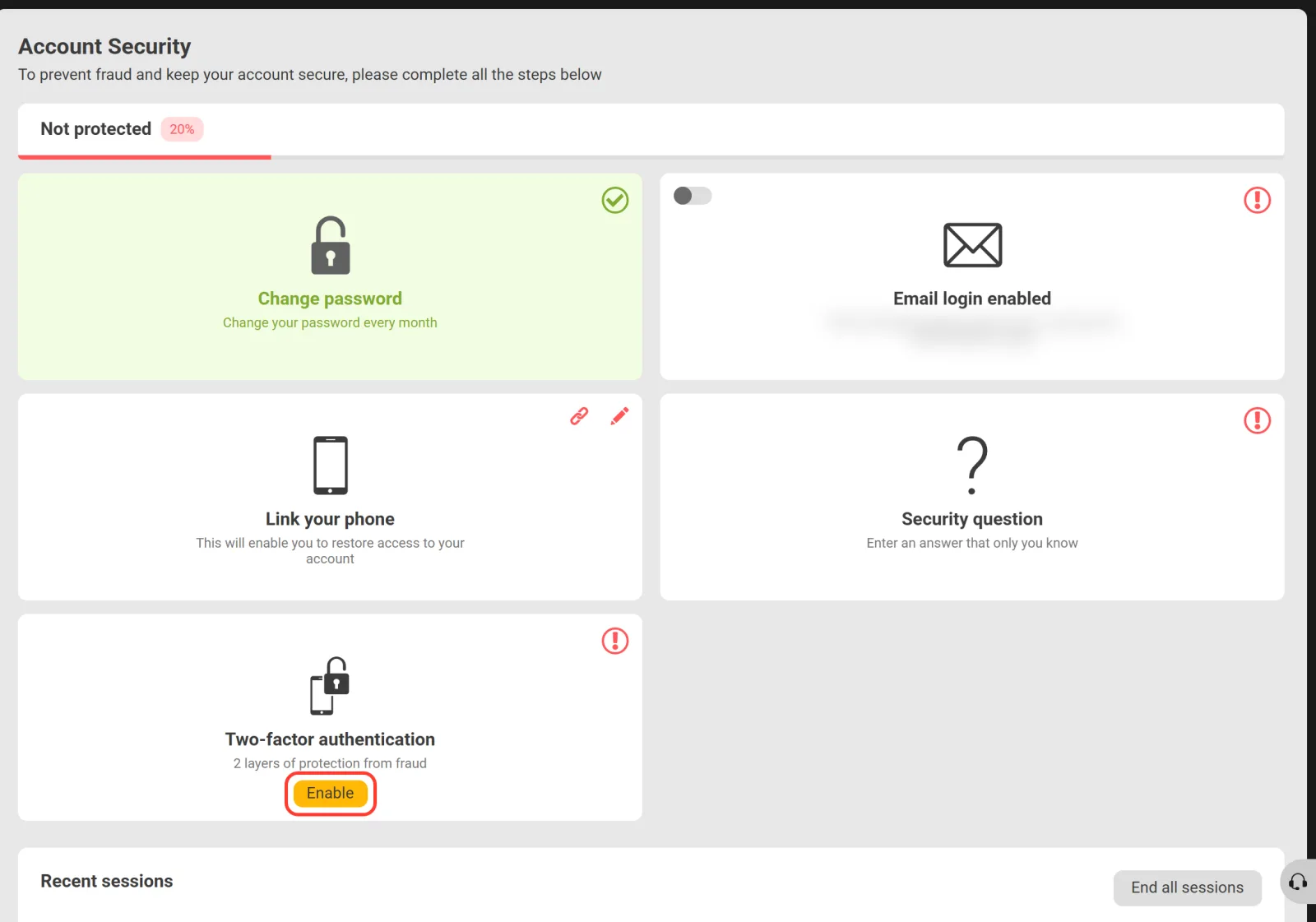
Melbet does not ask for an extra check when you log in from a new device with e-mail and password. The Security section in your profile is where you add that check yourself, and its protection level in percent grows with each step:
- Two-factor authentication. Press Enable and connect Google Authenticator, available on the App Store and Google Play. After that a login needs the code from the app as well as the password.
- Link your phone so you can sign in and reset the password by SMS.
- Security question as one more way to confirm that the account is yours.
- Recent sessions with the system, country, date and IP of each login. End all sessions closes them in one tap.
- Log out on all devices in Account settings, useful after you have signed in on someone else's phone.
Report a suspicious login to security@melbet.com. The same profile is where a break starts too: support can close the account or limit betting for a period you choose.