

Melbet Deposit and Withdrawal in Sri Lanka: Local Methods in LKR
A Melbet deposit in Sri Lanka goes through the cashier inside your account, and the balance is kept in LKR. The cashier lists 91 methods for paying in and 83 for withdrawals: eZCash, FriMi, iPay, LankaQR, WePay, Upay and transfers from Bank of Ceylon, HNB, Sampath, Commercial Bank and other local banks. Local methods start from 250 LKR. Withdrawals return to the same details you paid in with, and requests are processed around the clock, 7 days a week. One account and one LKR balance work on the Melbet Sri Lanka website, in the mobile version and in the app.
Local methods
- eZCash
- FriMi
- LankaQR
- Bank of Ceylon
- Commercial Bank
- NSB
- HNB
- DFCC
- Make a DepositeZCash, FriMi or a bank from 250 LKR
- Pay From the Appthe same cashier on Android and iPhone
eZCash, FriMi, National Savings Bank and LB Finance CIM accept 250 LKR. The 100% sports welcome needs a first deposit of 280 LKR or more.
18+ only. Gambling involves risk.
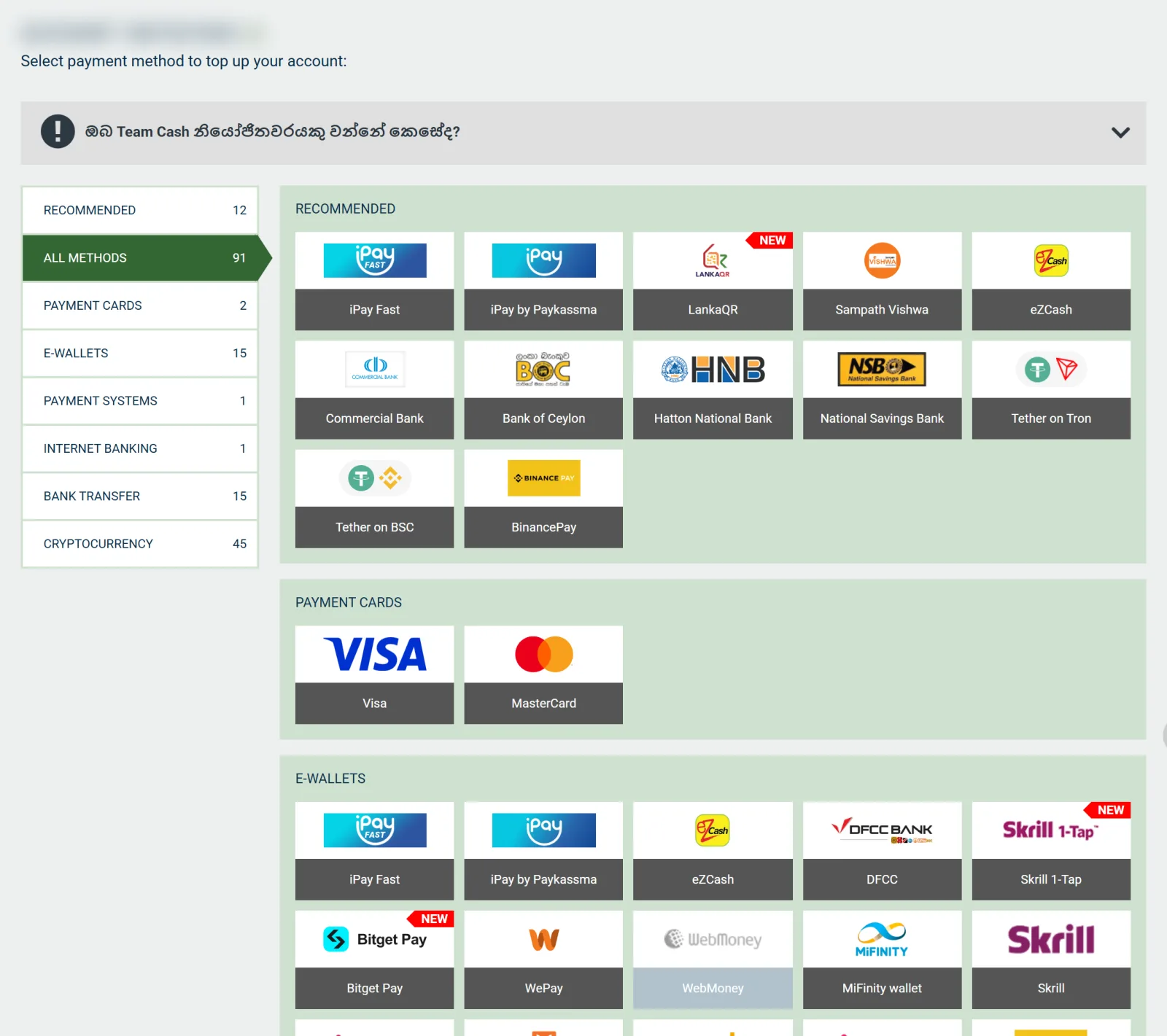
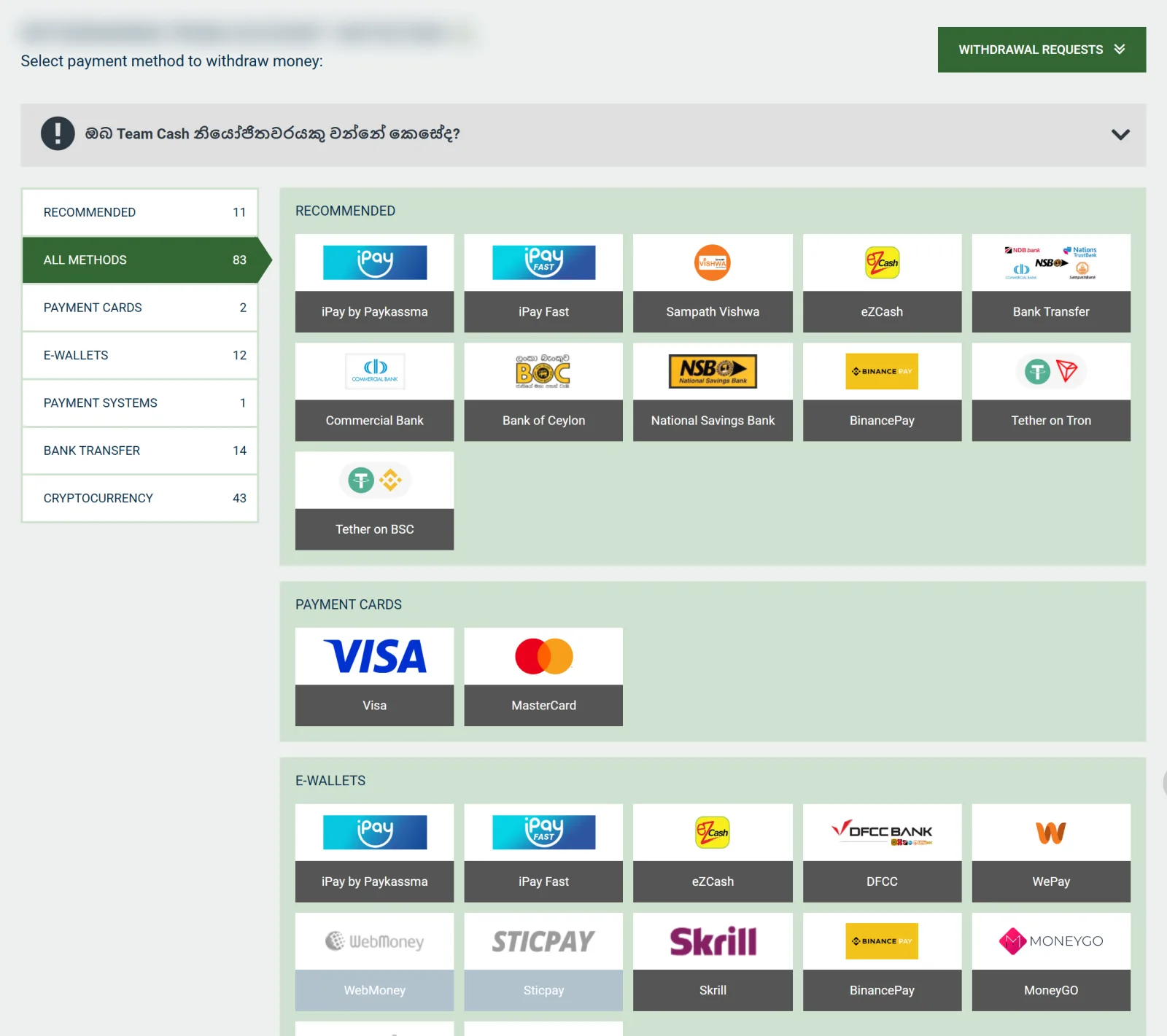
Deposit and Withdrawal Methods: 91 In, 83 Out
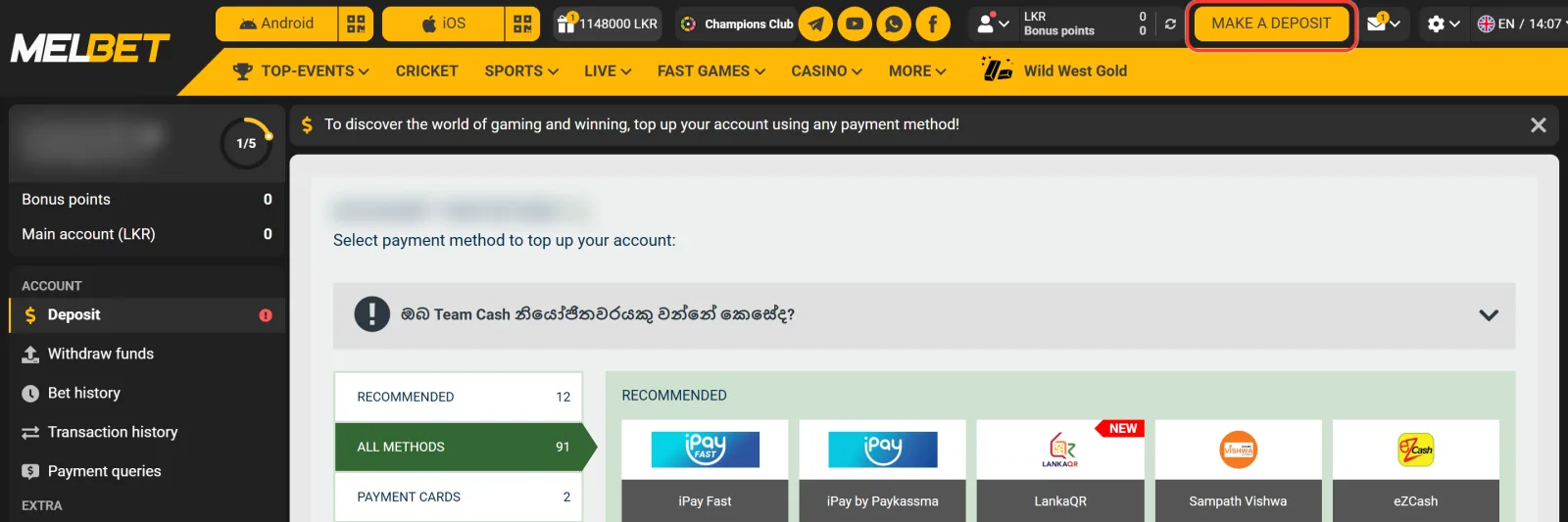
The cashier opens with the MAKE A DEPOSIT button and sorts the methods into tabs. The withdrawal side has the same tabs, with fewer options in some of them:
| Tab | Deposit methods | Withdrawal methods |
|---|---|---|
| Recommended | 12 | 11 |
| Payment cards | 2 | 2 |
| E-wallets | 15 | 12 |
| Payment systems | 1 | 1 |
| Internet banking | 1 | none |
| Bank transfer | 15 | 14 |
| Cryptocurrency | 45 | 43 |
For most players in Sri Lanka the useful part is short. Local wallets such as eZCash, iPay, WePay and FriMi, the Bank transfer tab with banks from Bank of Ceylon to Seylan Bank, and LankaQR, which is the only Internet banking option and marked NEW. Cards, international wallets and coins make up most of the count.
Minimum Deposit From 250 LKR: Limits for Every Local Method
The Melbet minimum deposit depends on the method you pick, and each form shows its own Min and Max before you pay. Four local methods take 250 LKR, most others start at 500 LKR, and withdrawals usually start higher. The limits below are taken from the cashier forms:
| Method | Deposit min / max, LKR | Withdrawal min / max, LKR |
|---|---|---|
| eZCash | 250 / 50,000 | 1,000 / 50,000 |
| FriMi | 250 / 50,000 | 500 / 30,000 |
| National Savings Bank | 250 / 50,000 | 500 / 50,000 |
| LB Finance CIM | 250 / 50,000 | 250 / 50,000 |
| WePay | 300 / 50,000 | 500 / 50,000 |
| DFCC | 400 / 50,000 | 1,000 / 50,000 |
| iPay Fast | 500 / 50,000 | 1,000 / 49,000 |
| iPay by Paykassma | 500 / 50,000 | 1,500 / 45,000 |
| Upay | 500 / 50,000 | 500 / 50,000 |
| Sampath Vishwa, Bank of Ceylon, HNB, Genie Dialog Finance, NDB Neos Pay | 500 / 50,000 | 500 / 50,000 |
| Nation Trust Bank, Seylan Bank | 500 / 50,000 | 1,000 / 50,000 |
| Commercial Bank | 500 / 50,000 | 1,500 / 30,000 |
| Bank Transfer Fast | 500 / 150,000 | 1,000 / 500,000 |
| Upay Fast | 500 / 150,000 | deposits only |
| LankaQR | 500 / 50,000 | deposits only |
Bank Transfer Fast has the widest range: up to 150,000 LKR in one deposit and up to 500,000 LKR in one withdrawal. Among local methods, only LB Finance CIM lets you withdraw 250 LKR. With FriMi and Commercial Bank the payout ceiling is 30,000 LKR, lower than the 50,000 LKR you can pay in.
How to Make a Deposit: Transfer Within 10 Minutes, Then a Screenshot
Local wallets and banks work as a transfer from your own app to the payment details shown in the form, followed by a short confirmation. The whole deposit looks like this:
-
Sign in through the Melbet online login and press MAKE A DEPOSIT at the top of the account.
-
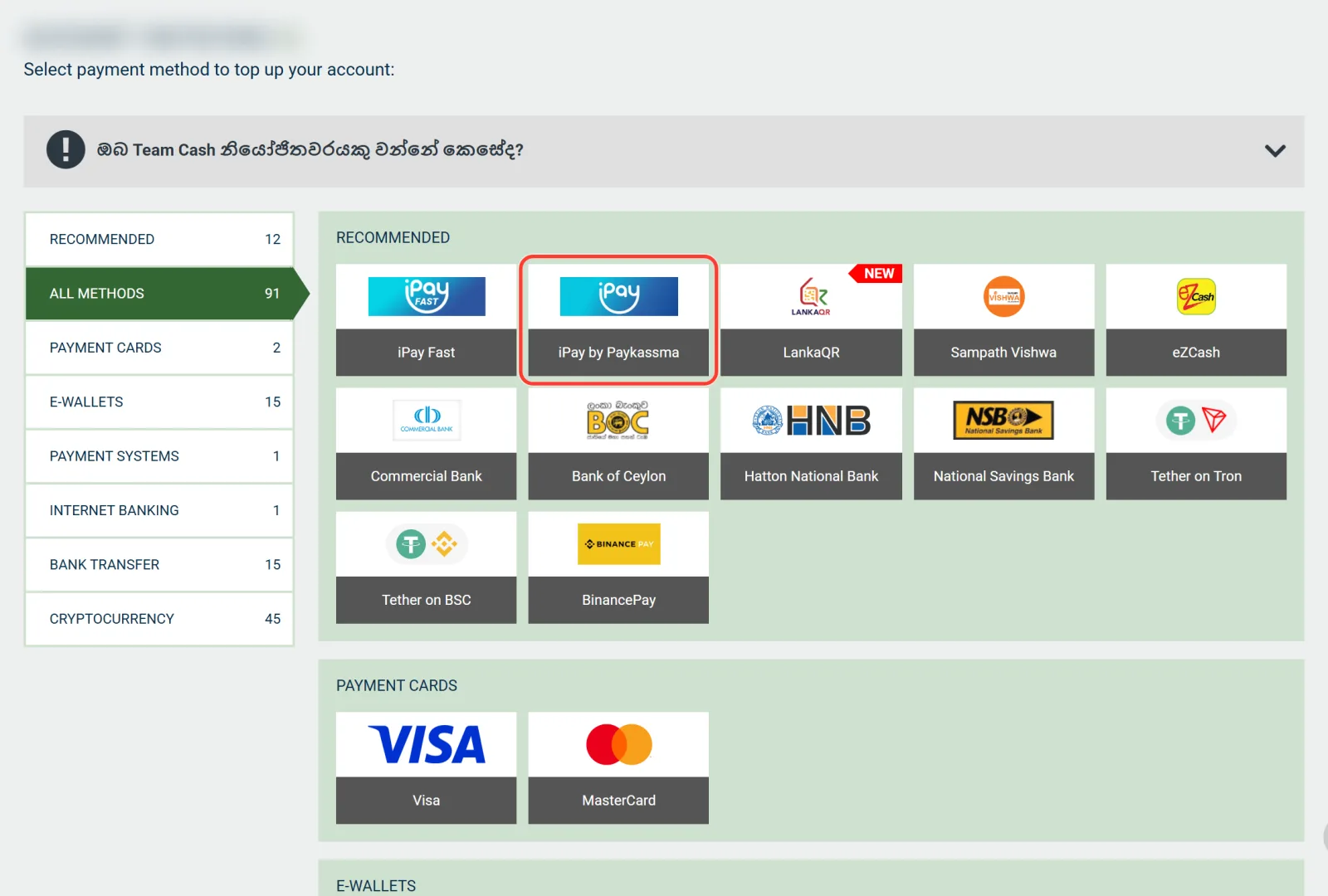
Pick a method tile, for example iPay by Paykassma, eZCash or your bank.
-
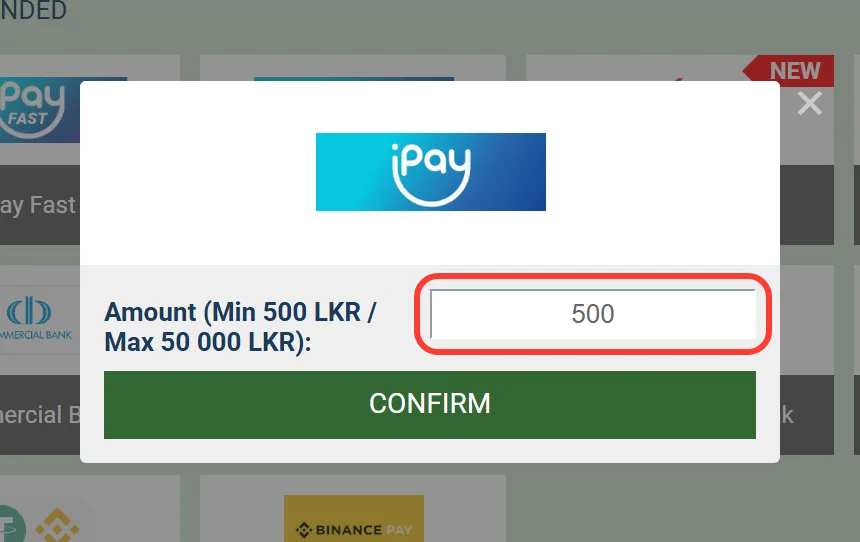
Type the amount or tap a quick amount: 500, 1,000, 1,500, 2,000 or 5,000 LKR. The form shows the Min and Max of the method.
-
Send the money from your own wallet or bank app to the details in the form within 10 minutes.
-
Enter your account or wallet number and the Transaction ID, attach a screenshot of the transfer (jpg, png or pdf up to 20 MB) and create the request.
Some methods also show a code for the Comments field of your transfer, so copy it exactly. Part of the transfer instructions is written in Sinhala. LankaQR asks for your first name, last name, e-mail and phone next to the amount.
Fake betting platforms and payment scams are a known problem in Sri Lanka, so take the payment details only from this form, not from a chat, a call or a social media message. Never share an OTP, a wallet PIN or a banking password: the form asks only for your account number, the Transaction ID and a screenshot. Keep each transfer screenshot until the request is closed, and turn on two-factor authentication with Google Authenticator in Account Security.
Deposit Fees and Processing Time
The cashier shows no fee next to any method, local or international, and for cryptocurrency Melbet states a 0% fee on its side. If your bank or wallet charges for a transfer, that charge comes from them, so check the tariff in your own app before a small payment. Timing differs between the two directions:
- Deposits. With local wallets and banks the form gives you 10 minutes to send the transfer. Melbet states that crypto deposits arrive within a few minutes.
- Withdrawals. Requests are processed around the clock, 7 days a week, but the cashier gives no fixed payout time for local methods.
A request waits longer when one of the withdrawal rules applies, such as a document request or an unfinished bonus.
Visa, Mastercard, E-wallets and Crypto: Conditions in the Cashier
Cards, international wallets and coins each come with their own conditions:
- Visa and Mastercard. The card form asks you to enter and activate your phone number and e-mail in the account first. A withdrawal to a card is possible only after a deposit made with that card.
- E-wallets. Skrill, Neteller, MiFinity, BinancePay, Bitget Pay and MoneyGO. Their limits are converted from USD, so the LKR amounts move with the exchange rate. MoneyGO pays out in rupees only to an LKR wallet.
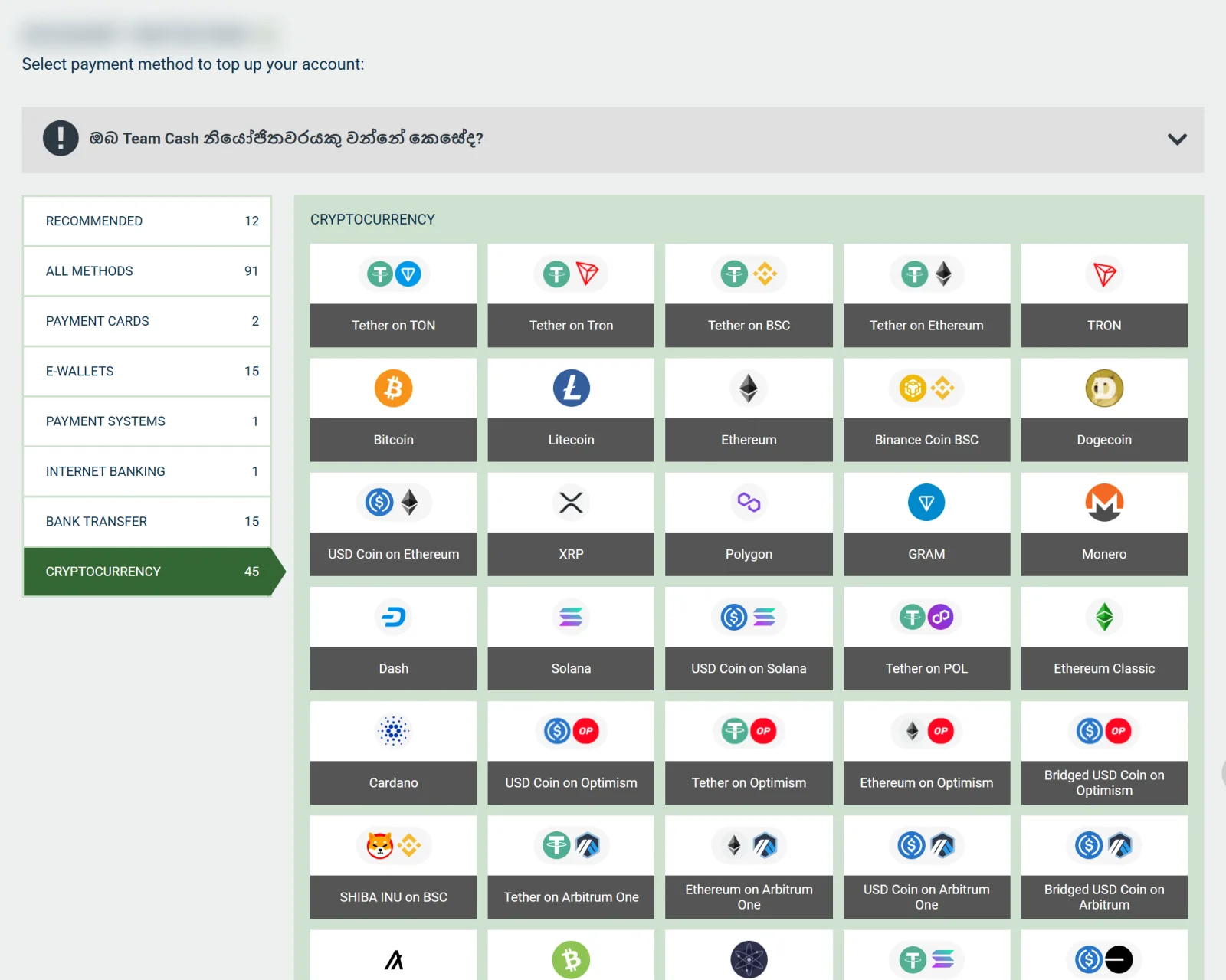
- Cryptocurrency. 45 options for deposits and 43 for withdrawals, including USDT on TRC20, BEP20, ERC20, TON and Solana, plus BTC, ETH and LTC. Before the form opens, a window tells you to send coins only through the network it names. Coins sent through another network may be lost.
In Account settings you can add a second account in USDT or another currency next to the LKR one.
Important
Cards, Crypto and Central Bank Rules in Sri Lanka
Before you choose a card or a coin in the cashier, check how local rules treat these payments. Under Foreign Exchange Act Direction No. 3 of 2021, the Central Bank of Sri Lanka does not allow debit and credit cards to be used for betting, gaming or gambling abroad, or for payments in virtual currency. A bank can block a card used this way and report the case to the Central Bank. The Central Bank also states that cryptocurrency is not legal tender in Sri Lanka. Melbet shows these methods in the cashier, and the choice of how you pay stays with you.
If you are unsure about a specific payment, ask your bank before you make it.
Melbet Cash Out: A Withdrawal in Four Steps
Money leaves the account through its own menu item, not through the deposit page. The request takes four steps:
-
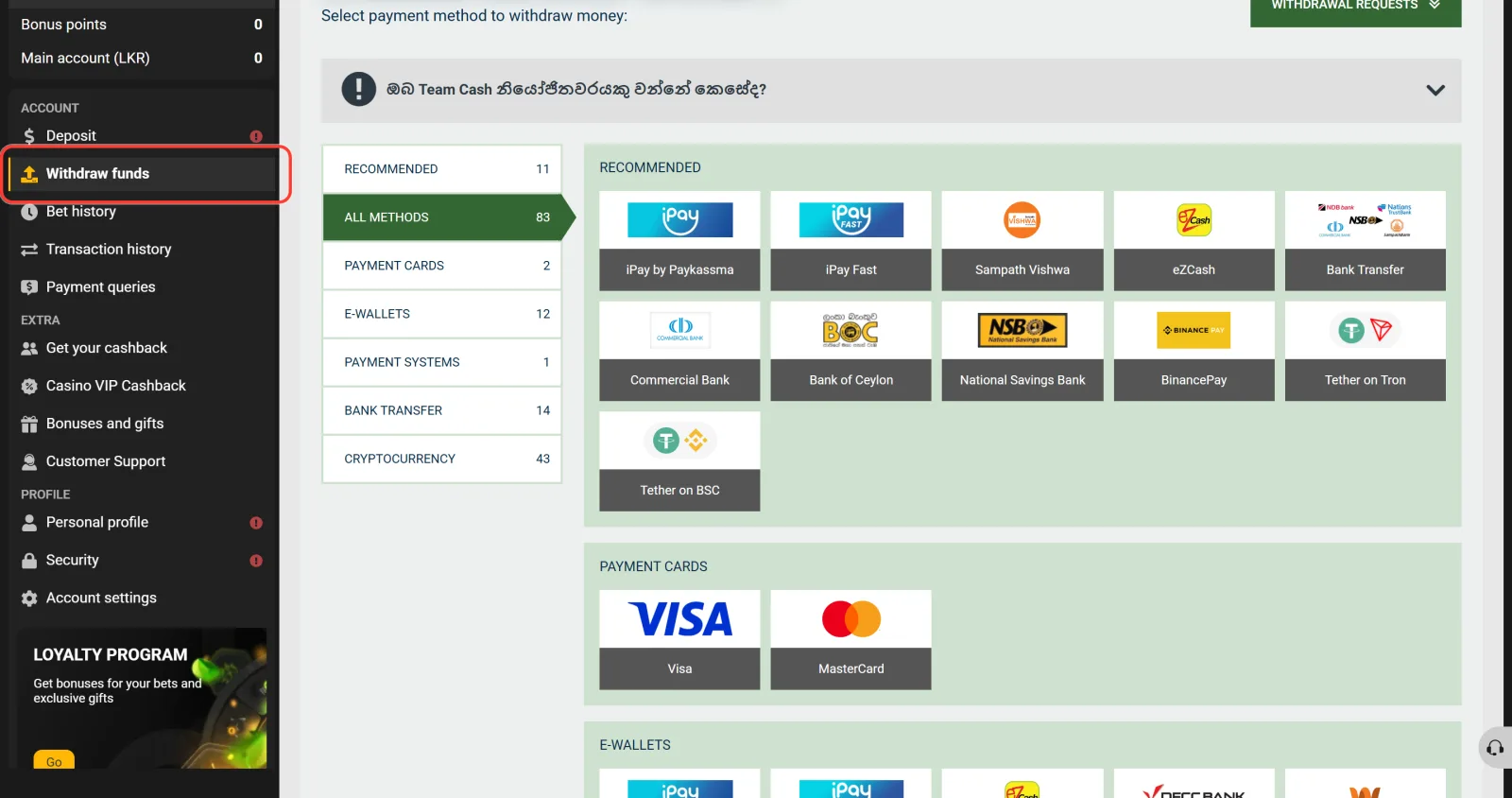
Open Withdraw funds in the account menu.
-
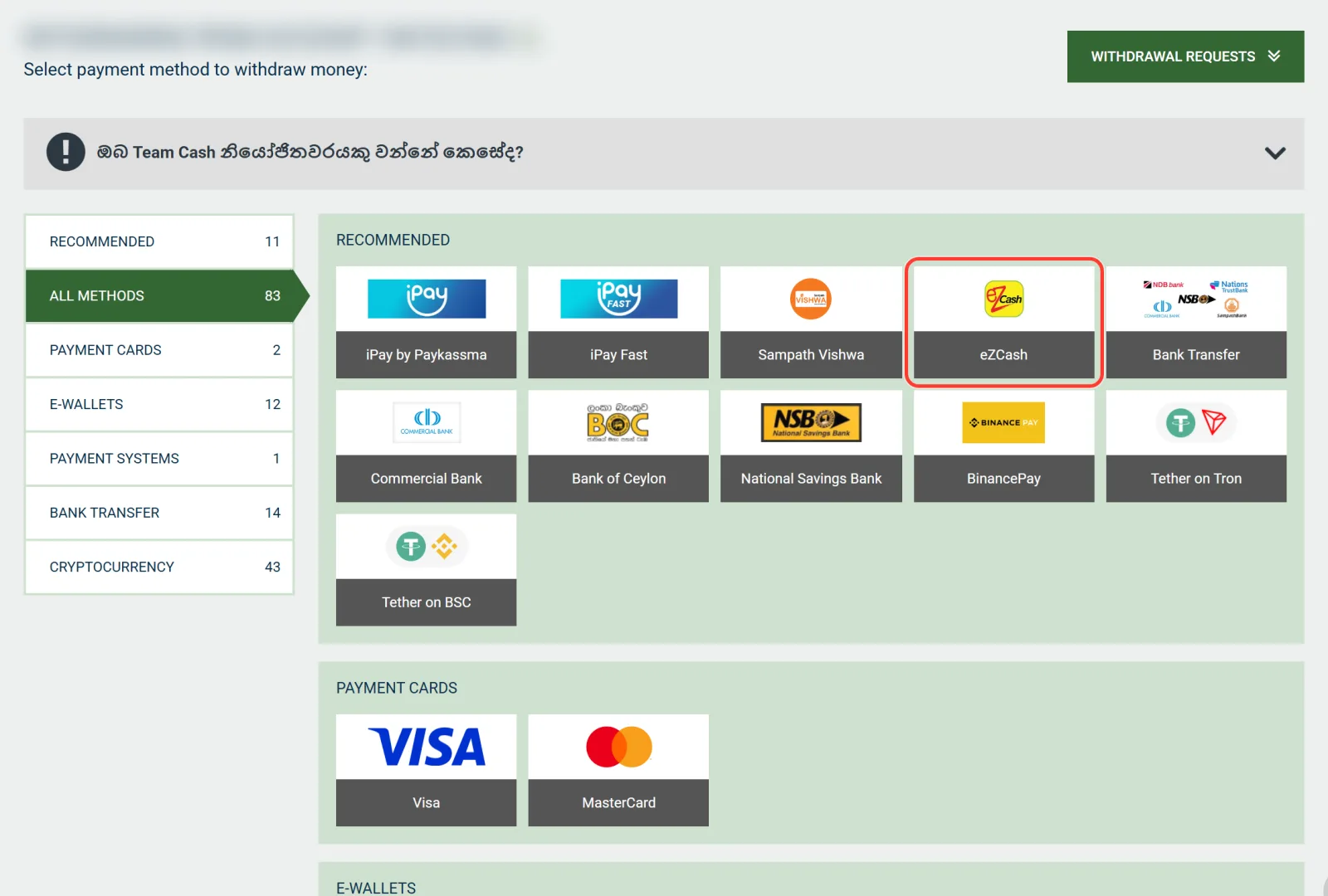
Choose the method you deposited with. All 83 options are listed, but the payout has to go to the details used for the deposit.
-
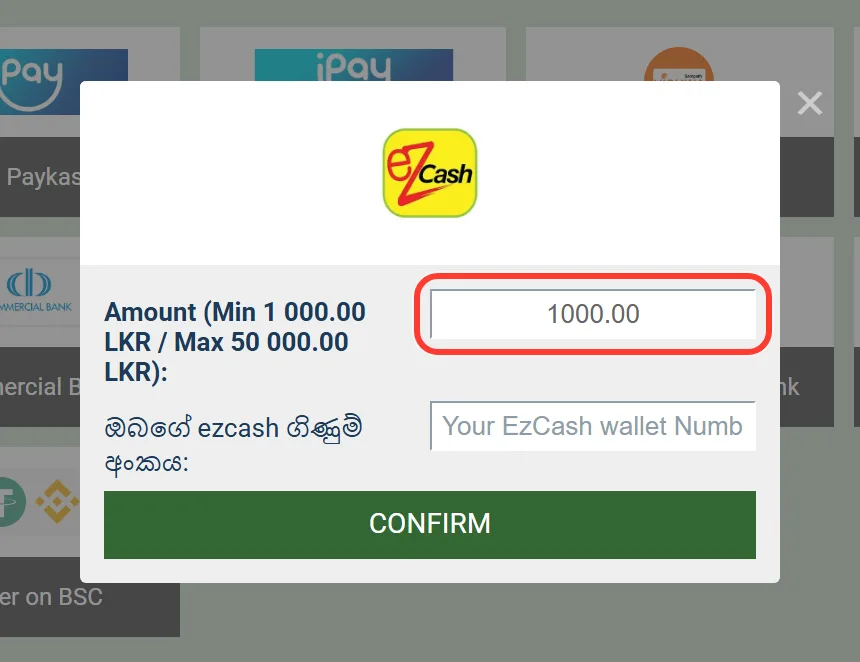
Enter the amount within the limits of the form. For eZCash that is 1,000 to 50,000 LKR.
-
Fill in the payout details and confirm. Bank Transfer Fast asks for your full name, phone, National ID number, account number and bank, while iPay by Paykassma lets you pick the bank from a list.
Requests are processed around the clock, and each one appears under the Withdrawal requests button. The cashier does not give a payout time for local methods, so that list is where you follow the status of your money.
Withdrawal Rules: Six Checks Before the Money Moves
A Melbet withdrawal problem is usually one of these account rules, not a fault in the cashier:
- Identity check. Melbet can ask for verification when you withdraw. The name, date of birth and National ID number in Personal profile have to match your ID card, and a utility bill from the last 3 months confirms the address.
- Bonus turnover. While the sports bonus is active, part of the deposit can be withdrawn only if at least twice the bonus stays on the balance. The Melbet bonus rules list what else cancels or delays an offer.
- Another method. A payout goes only to the details of your deposit. If you paid in through two methods, the sum is split between them in proportion.
- Contacts not confirmed. Card and Skrill forms need an activated phone and e-mail. If you chose to register on Melbet with One-click, add both in Personal profile first.
- Deposit not staked. The deposited amount has to be bet at odds of 1.10 or higher before a withdrawal.
- Large wins. Big winnings are checked separately before they are paid.
A question about a specific payment goes to Payment queries in the account menu, to info-si@melbet.com or to 0112029285.
Money in the cashier should be money you can afford to lose, and the Responsible Gaming page describes deposit limits for that.
Cashier Questions: Missing Deposits, Other Wallets and Phone Payments
My Melbet deposit has not appeared. What should I do?
Open Payment queries in the account menu and send the Transaction ID with the screenshot of your transfer. If you sent the money after the 10-minute window, mention it in the query. Support also answers at info-si@melbet.com.
Can I withdraw to a different wallet or bank?
No. Melbet pays out only to the details you deposited with, and a card only after a deposit with that card. Choose the method you want to cash out to before your first payment.
Can I pay from a wallet in someone else's name?
Use a wallet or bank account in your own name. Payouts return to the details you deposited with, so money paid in from a relative's or a friend's account would also have to go back there.
Can I deposit from my phone?
Yes. After the Melbet app download you reach the cashier from the same account and the same LKR balance. The mobile version of the site has the cashier too, so you can pay without a computer.